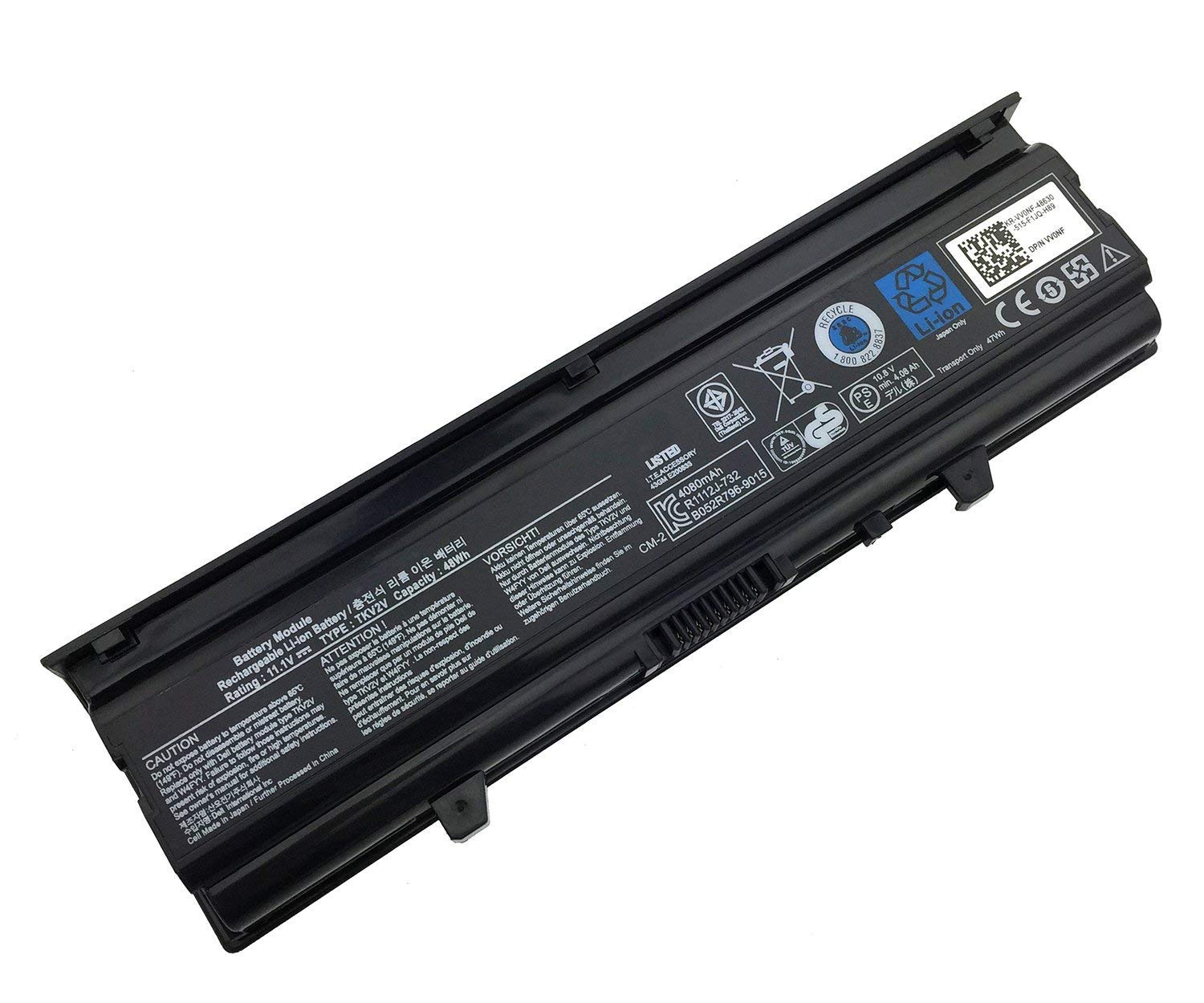
Dell Inspiron N4030 Laptop Battery – TKV2V 11.1V 48Wh
Considering that this is the original Dell Inspiron N4030 battery is made to meet and exceed OEM requirements. Similarly, the other vers, compatible, features the same aspect and it lasts longer. During the manufacturing process, grade-A brand-new cells were used to produce this laptop battery. After all, the choice for the battery is of the highest caliber.
The creator made it a life-saver for your computer. So, they ensured that the Dell Inspiron N4030 battery has integrated circuit protection. Even more, it guarantees the charge’s stability and safety, therefore protecting the laptop.
Besides, this laptop battery has tight compatibility requirements and meets quality standards for environmental safety. Plus, the product has a large battery capacity that produces excellent power and lasts for more time before recharging.
This new Dell Inspiron N4030 battery for the Dell Vostro & Inspiron models will provide you with longer battery life. As well, you can enjoy better laptop performance.
The typical runtime of this Dell Inspiron N4030 battery is 2 to 3 hours after a full charge. Thus, by dimming your screen and shutting down unnecessary apps and applications, you may extend the life of your battery.
Product Specifications
| Product Type | Laptop Battery |
| Product Brand | Dell Original |
| Part Number | TKV2V |
| Battery Type | Lithium-ion Battery |
| Voltage | 11.1V |
| Power | 48Wh |
| Realtime Backup Time | 1.5 to 2.0 Hrs |
| Standby Backup Time | 2.5 to 3.0 Hrs |
| Guarantee | 6 Month Guarantee |
| Warranty Not Covered | Defects due to External Causes, Accidental, Physical Damage, Cut, Burnt, Misuse, and Missing Warranty Stickers or Labels |
| Package Contents | Dell Lithium-ion Battery |
| Country of Origin | China |
| Package Dimension | 30 x 10 x 5 cm |
Easy Maintenance Tips for your new Dell battery replacement.
- New battery: It’s best to attempt a few cycles of draining to 5 percent before using a new battery. Afterward, try charging 95% or more. In turn, this lets it fully activate
- Overuse: Avoid constantly draining a battery to 0%. Furthermore, this might harm it. Alternatively, it may reduce its lifespan.
- The order of charging is as follows. First, while charging, install the battery. Afterward, turn on the power. After ultimately charging, turn off the power first. Last, then unplug the power cord.
- Long-term storage: Keep the Dell Inspiron N4030 Laptop Battery fully charged while not in use. Additionally, once every month, charge it. Further, avoid storing at low power to extend the life of a battery.
- Charger: Also, never change your laptop’s adapter carelessly.
On the same note, replace the models if the original adapter cannot be used due to damage or malfunction. In turn, the battery’s lifespan is not shortened by incompatibility
Instruction for using Dell laptop battery
- Firstly, you should not charge your Dell Inspiron battery for longer than 24 hours. Secondly, ensure that you are charging the battery constantly at room temperature.
- Thirdly, use an original charger for the Dell Inspiron battery.
- Fourthly, for first-time use, you should charge the battery for around 3 hours
- Fifth, always remember not to put your DELL battery near a source of heat. It can damage it.
- Sixth, you should not expose your Dell laptop battery to any liquids


Reviews
There are no reviews yet.